
Box 6 AquiferTest V12
AquiferTest V12 is a hydraulic test analysis tool developed by Waterloo Hydrogeologic. Details on its capabilities and limitations are explained on the website (waterloohydrogeologic.com↗) and in the accompanying user’s manual (https://www.waterloohydrogeologic.com/help/aquifertest/↗).
AquiferTest V12 provides multiple methods to analyze hydraulic tests for confined, leaky confined, unconfined, dual porosity, and bounded aquifers (recharge boundary and barrier boundary) as delineated in Figure Box 6‑1. It can also account for aquifer anisotropy, well effects such as partial penetration, well bore storage, and variable pumping rates. It includes the capability to set up a pumping well and forecast the resulting response at observation wells located in the same hydrogeologic formation. It breaks analysis into two groups:
- the fixed analysis assumption applies methods as originally published without the option to adjust standard assumptions, and
- customized analyses that allow modification of initial conditions as shown in Figure Box 6‑1.
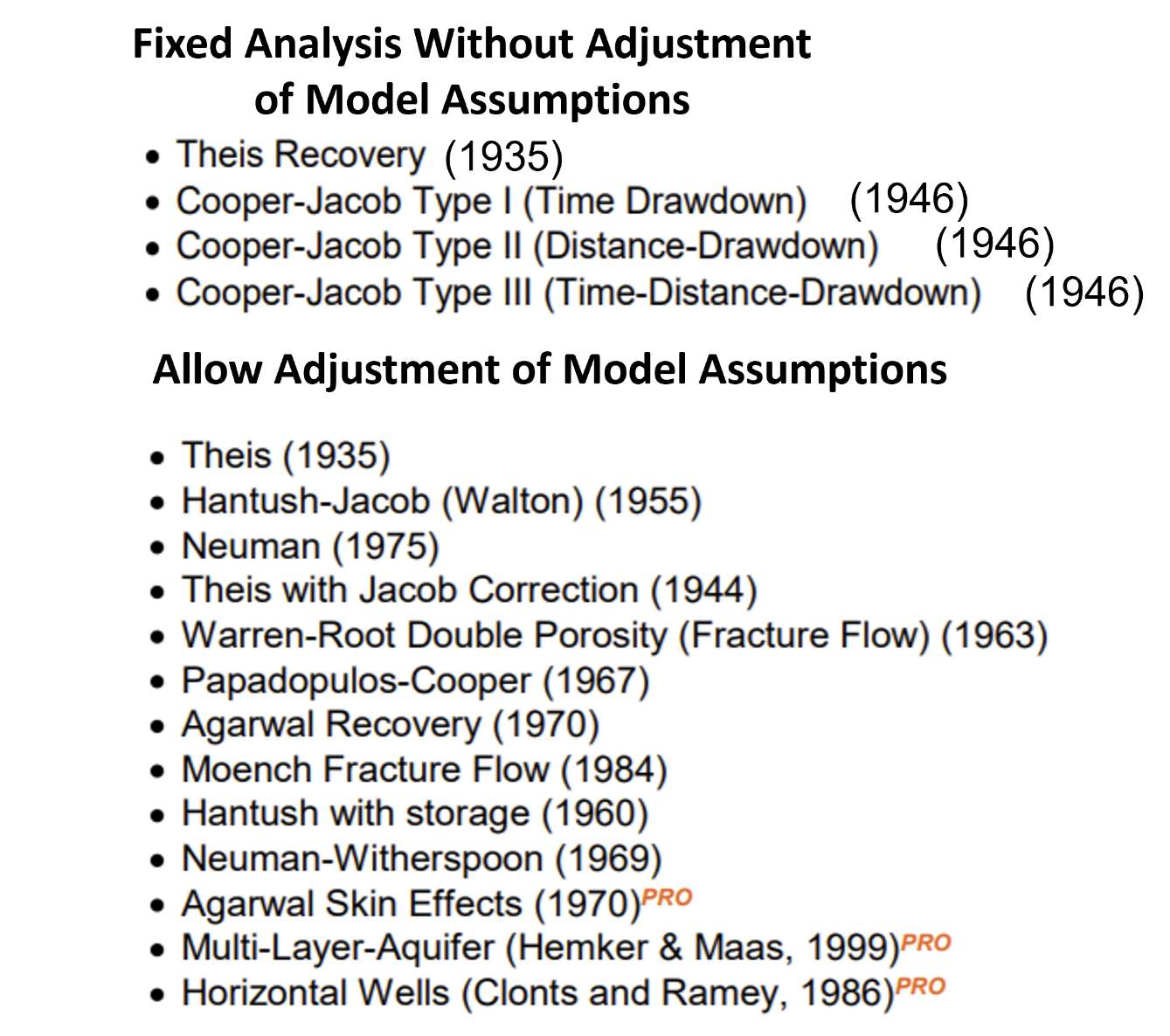
Figure Box 6‑1 ‑ List of type curve analytical methods that are provided in the AquiferTest V12 software. The analysis techniques that are termed fixed do not allow the user to modify assumptions, thus are standard Theis Curve Matching and Cooper‑Jacob straight‑line methods. The list of methods that allow model assumption adjustments use formulations that include conditions like well bore storage, partial penetration, well loss effects, variable pumping rates and schedules, and boundaries. The PRO in the last three models indicate they are included in an upgraded version of the software referred to as AquiferTest 12 Pro. Complete references are found in the reference section of this book. Details of these methods are found in the user’s manual/help file https://www.waterloohydrogeologic.com/help/aquifertest/↗.
To assist the user in identifying the aquifer conditions that are represented by the observed drawdown data, AquiferTest V12 uses diagnostic plots as shown in Figure Box 6‑2.
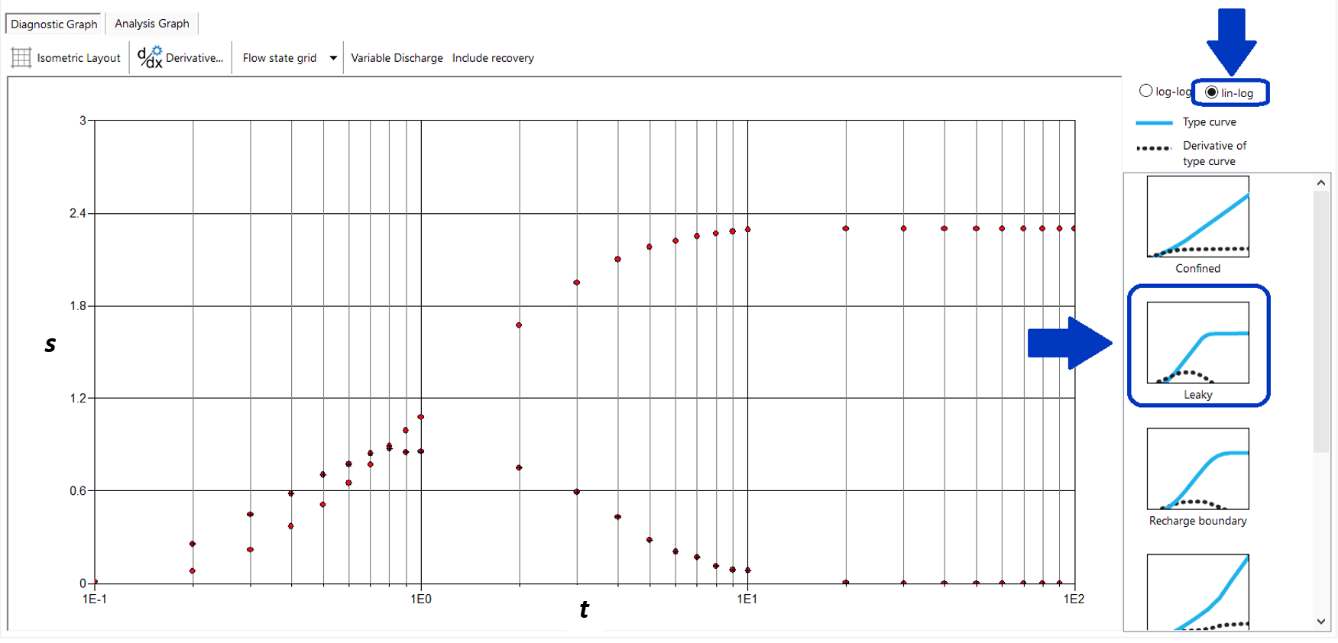
Figure Box 6‑2 ‑ A diagnostic plot of observation well or pumping well drawdown versus time data (red diamonds) on a log‑log scale presented in Aquifer Test V12. A second plot is the derivative data (lower curve) (∆s/∆log(t)). On the right‑hand side of the diagram are type curves (blue lines) and derivative plots (black dots) used to compare with the plotted observed data. This analysis is intended to suggest if the observed data are representative of conceptualized hydrogeologic conditions or reflect additional factors affecting the data. This data plot looks similar to the data plot expected for a leaky confined aquifer (from https://www.waterloohydrogeologic.com/help/aquifertest/↗).
The diagnostic plots are used as a visual aid to compare the observed drawdown time data with theoretical type curves. In addition to the standard type curve plots, the derivative of the type curve is plotted. AquiferTest V12 notes that the derivative curves provide an additional set of data to use when curve matching (Figure Box 6‑2).
Once the user has selected an appropriate analytical model, automatic curve fitting and manual curve fitting methods can be applied. Fitting methods use the “downhill simplex method” to automatically match the drawdown data with the designated aquifer type (e.g., confined, leaky, unconfined, and dual porosity). The automatic curve matching methodology applies a minimizing algorithm to non‑linear functions. User curve matching of drawdown time data and derivative data can be performed using a computer mouse by moving the data curve over the type curve until a visual match is determined. Parameter values are then automatically computed using the appropriate analytical equations.
The curve matching methodology described in this book is the same process that is used in AquiferTest V12. Superposition methods and image wells are used when boundaries, multiple pumping wells, or variable pumping rates occur. Partially penetrating wells are handled using corrections to observed data (Reed, 1980). Step tests can also be analyzed. Examples of the software output are shown in Figures Box 6‑3 and Box 6‑4.
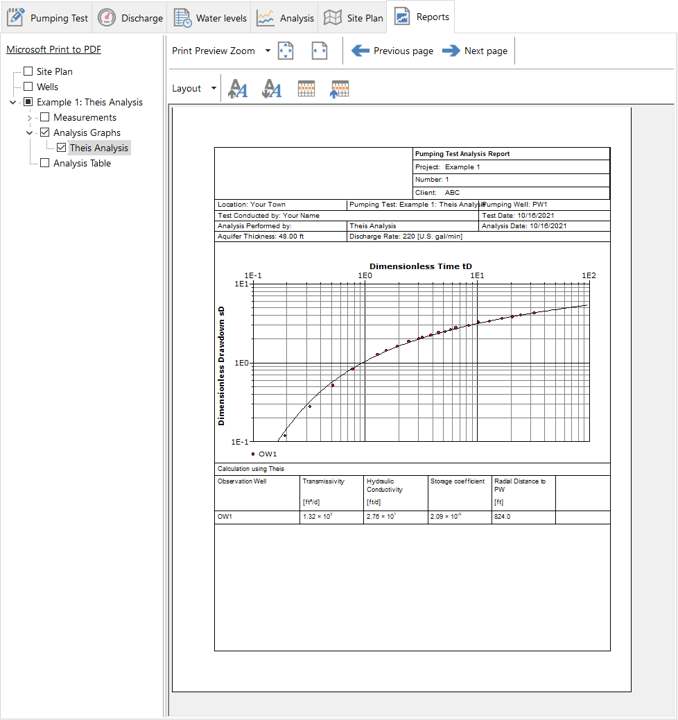
Figure Box 6‑3 ‑ Example of test data (red dots) curve match to the Theis solution (black line) using Aquifer Test V12. When the curve match is shown as a single graph the field data axes are referred to as dimensionless. A value of T in ft2/d, K in ft/d and S are computed.
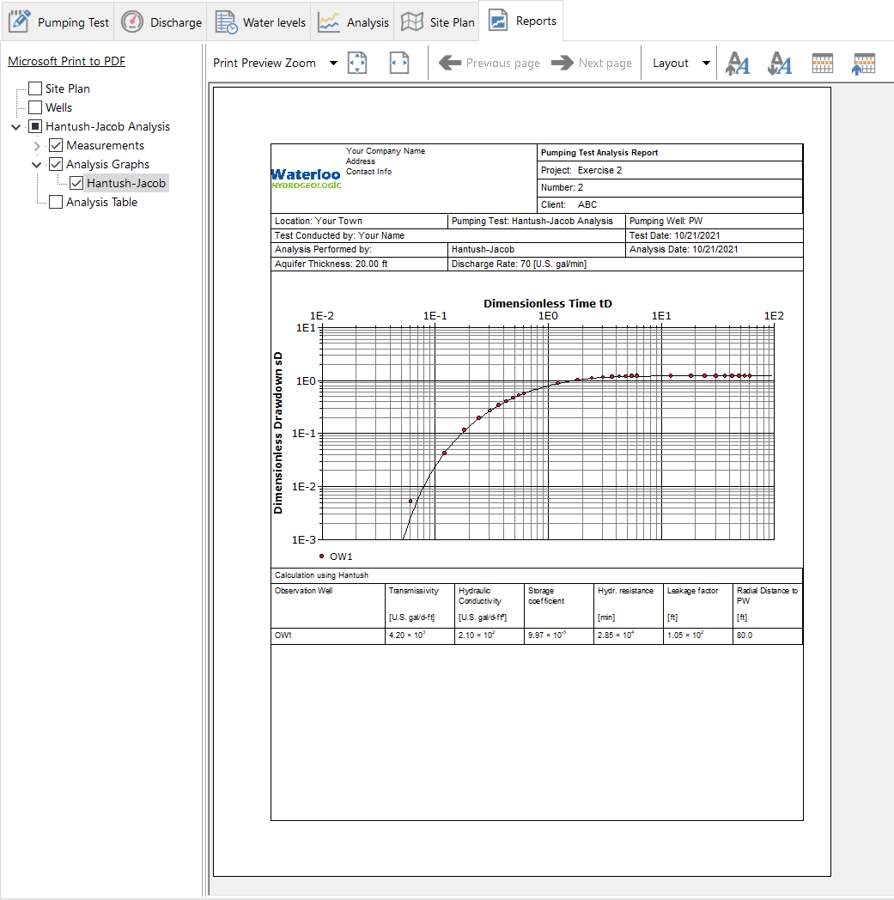
Figure Box 6‑4 ‑ Example of test data (red dots) curve match to the Hantush‑Jacob solutions solution (black line) using Aquifer Test V12. These are the same data as shown in Figure Box 6‑2. When the curve match is shown as a single graph the field data axes are referred to as dimensionless. A value of T in gallons/(ft d), hydraulic conductivity (gallons/ft2 d), S, hydraulic resistance (c =D’/K’ where D’ is the confining bed thickness and K’ is the confining bed vertical hydraulic conductivity) in ft/min., and leakage factor (L=(Tc)0.5) in feet are computed (from https://www.waterloohydrogeologic.com/wp-content/uploads/2021/11/AQTHelp.pdf↗).
The software also includes methods to analyze well performance including specific capacity data, well loss and well efficiency. AquiferTest V12 allows analyses of drawdown in unpumped aquifers over or underlying the aquifer being pumped using a multi‑layer‑aquifer‑analysis.
The user’s manual is well written (waterloohydrogeologic.com/help/aquifertest/↗). In addition, videos are available on the internet to assist a user in getting started.