
Box 7 AquiferWin32 V6
The aquifer test software created by Environmental Simulations, Inc. is AquiferWin32 V6 www.groundwatermodels.com↗). This software includes components used to analyze pumping, slug test, and well performance data, and it provides analytic element models to produce theoretical aquifer tests results including contour maps and hydrographs. AquiferWin32 V6 provides analyses using solutions for confined, leaky confined, unconfined, and fractured rock aquifers. It also includes methods to represent partial penetration, variable pumping rates, well bore storage and delayed yield. The analytical equations represented in AqufierWin32 V6 are shown in Figure Box 7‑1.
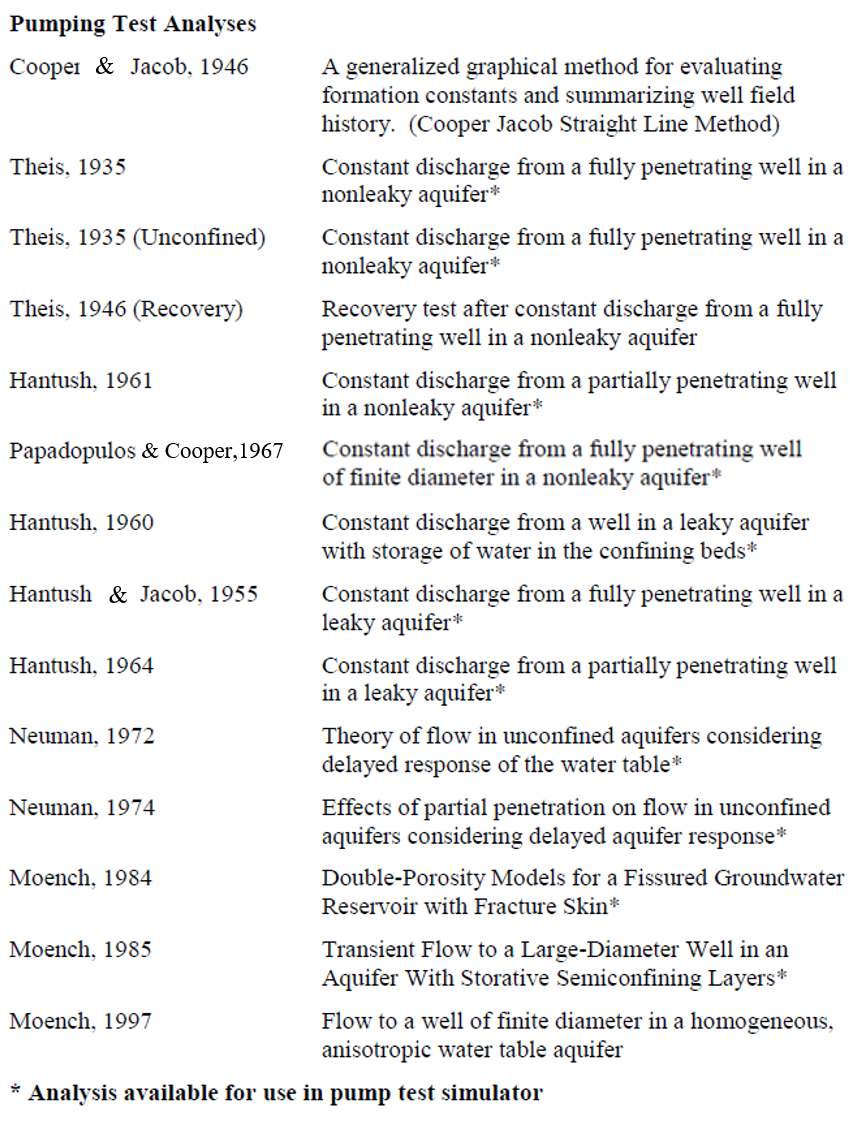
Figure Box 7‑1 ‑ Analytical models supported in the AquiferWin32 V6 software. Full references are provided in the reference section of this book. The pumping test simulator allows the user to mathematically pump a well in a user determined aquifer type and generate the drawdown at monitoring wells located at various radial distances from the pumping well under transient conditions (from https://www.groundwatermodels.com↗; Environmental Simulations, Inc., 2019).
The aquifer test analyses use both automatic computation and manual curve matching methods. The automatic approach uses the Marquardt (modified Gauss‑Newton) nonlinear least‑squares technique to generate the best statistical match between a selected type curve (e.g., Theis Equation, Hantush Equation) and the hydraulic test drawdown versus time data. The user’s manual states that the AquiferWin32 V6 approach to analyzing hydraulic testing data is designed to be like the visual curve matching techniques described in typical hydrogeology texts and in this book. It encourages visual adjustment of automatically matched curves using up and down arrows in the program or the computer mouse. Derivative analyses can also be performed. The user’s manual describes the methods to calculate the derivative. Automatic and visual curve matching of the derivative curves are available.
Examples of hydraulic test data matching the Theis (1935) and Hantush (1960) analytical models are presented in Figures Box 7‑2 and Box 7‑3.
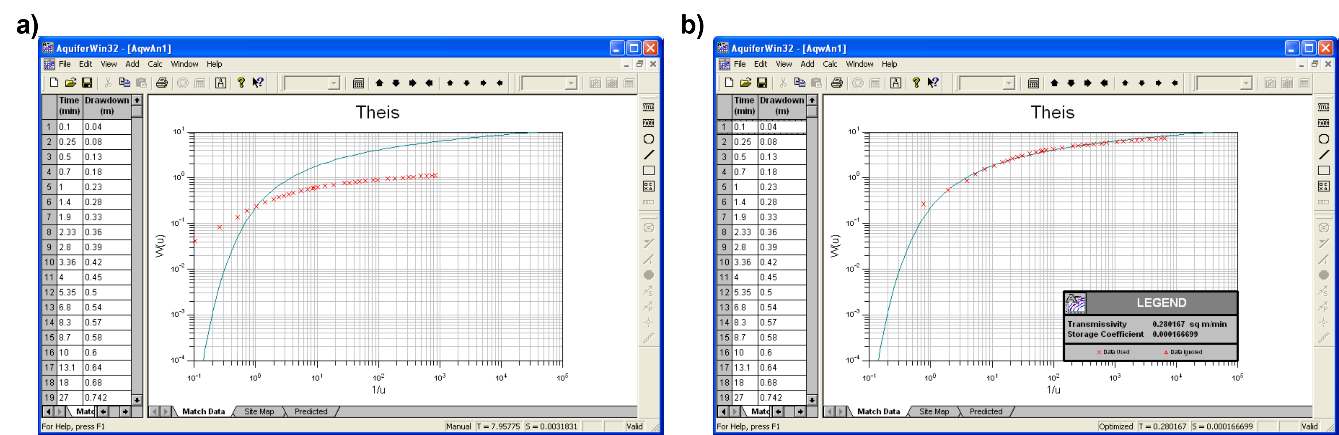
Figure Box 7‑2 ‑ Example of drawdown time data (red x) partially shown in the left‑hand column with the Theis type curve (blue line) in the AquiferWin32 V6 software. a) The data plotted on the type curve graph before curve matching. b) Data matched by automatic methods and manual adjustment (from Environmental Simulations, Inc., 2019).
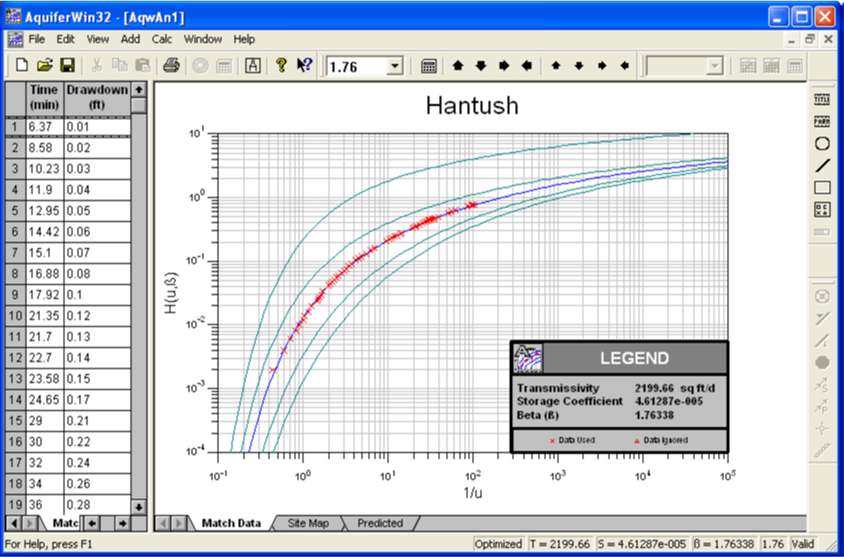
Figure Box 7‑3 ‑ Example of time‑drawdown data (red x) partially shown in the left‑hand column matched to Hantush (1960) type curves using the AquiferWin32 V6 software. Values of T, S and β are derived. (Environmental Simulations, Inc., 2019).
Another feature of AquiferWin32 V6 is simulation of aquifer tests results. This requires values of T and S and other related parameters (e.g., K’, β), as well as pumping and observation well construction information including the degree of penetration. The program produces a contour map of drawdown for a given pumping rate and time. The time‑drawdown curves for an observation well placed at any radial distance from the pumping well can be generated.
The software also includes groundwater modeling capabilities using an analytic element flow model in which analytical equations and image wells can be used to model steady‑state groundwater flow. Analytical element modeling is discussed by Haitjema (1995).